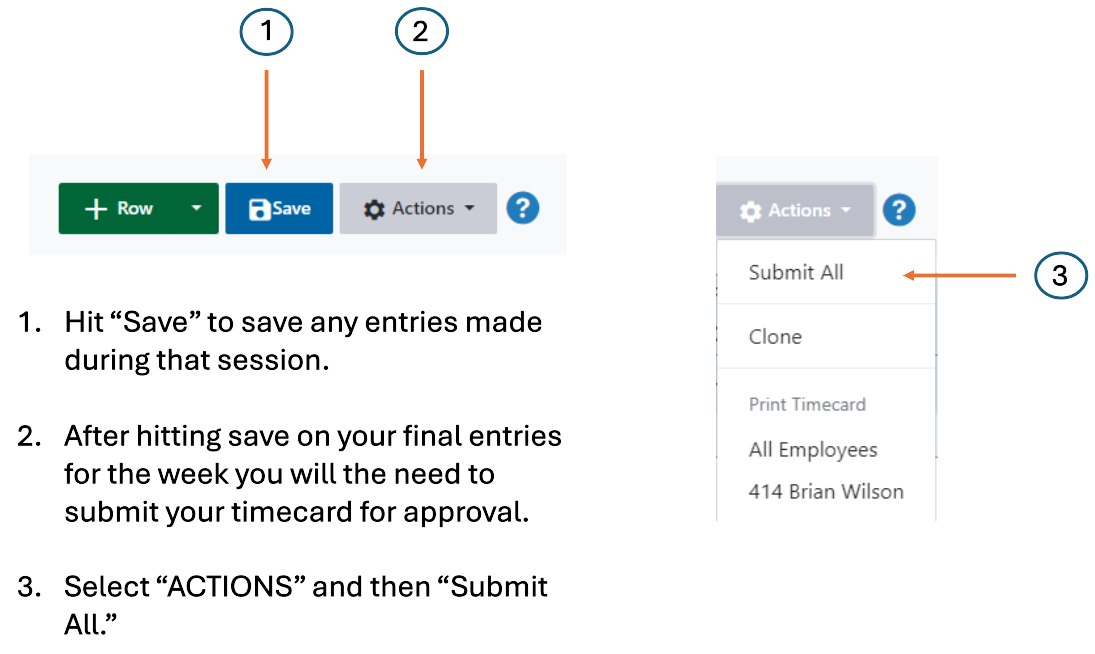
Timecard Reporting
important
Please ensure you log your hours for the previous week by 8:00 AM on Monday. Failing to do so could result in missing a pay cycle.
To submit your timesheet, follow these steps:
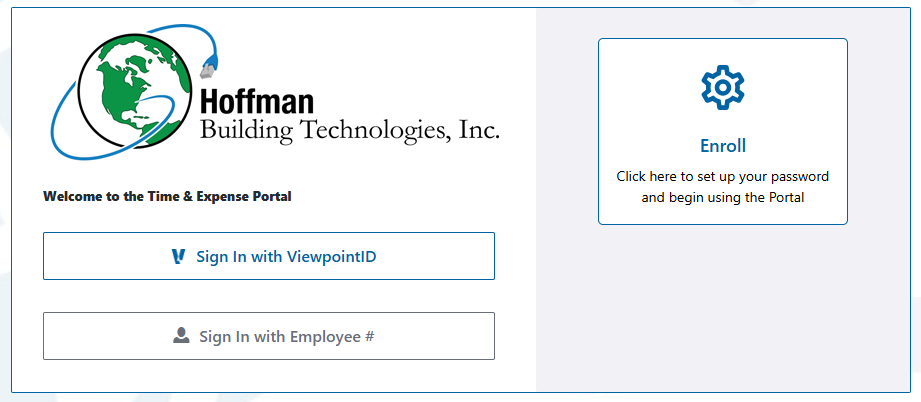
- Access the Portal: Click on Employee Time & Expense Portal.
- Log In: Sign in using your preferred method. If you are a new user, enroll first to gain access.
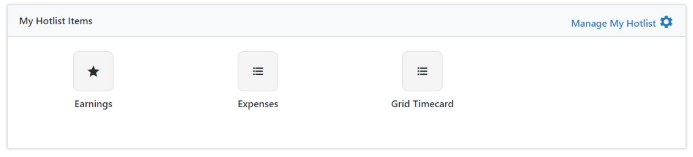
- Hotlist Management: To report your hours, navigate to the Hotlist Management section and select Grid Timecard.
- You will encounter a dashboard for submitting your timesheet.

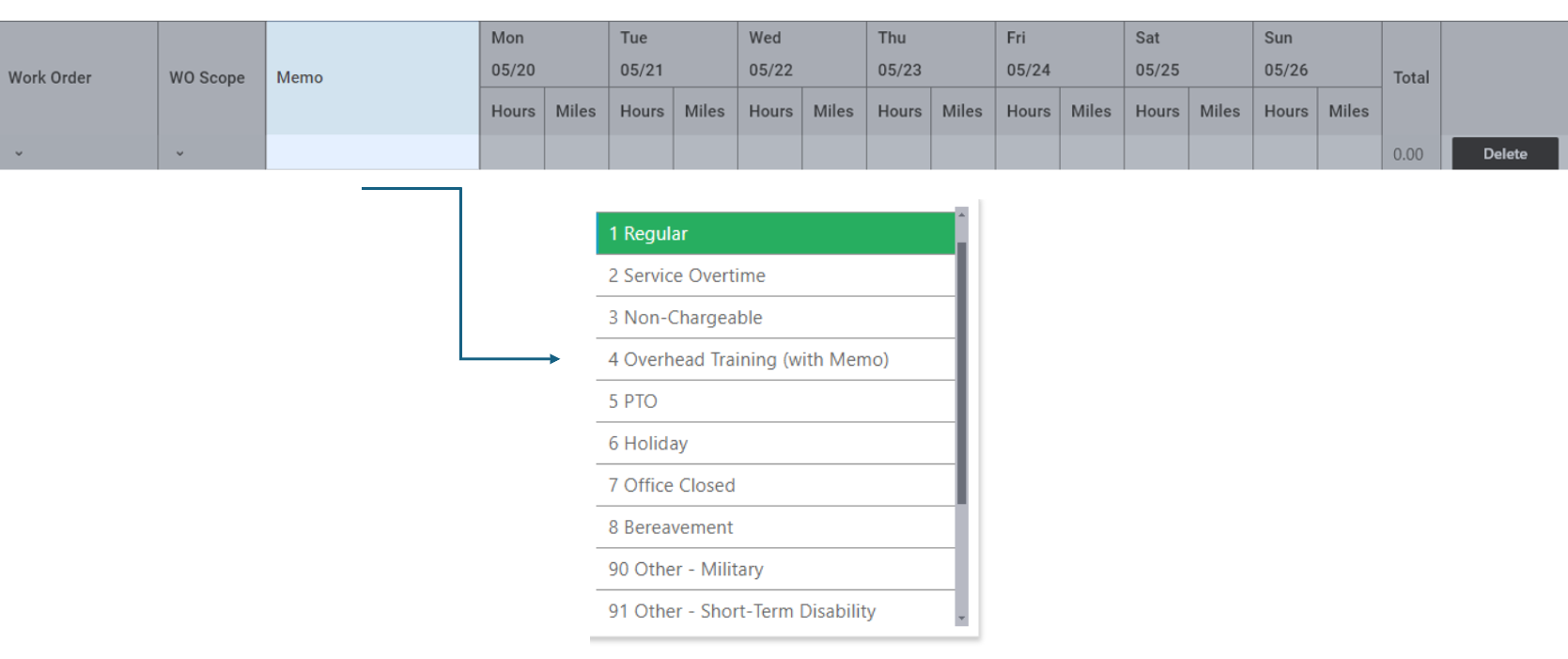
- Choose your name under Employee, then pick an Entry Code.
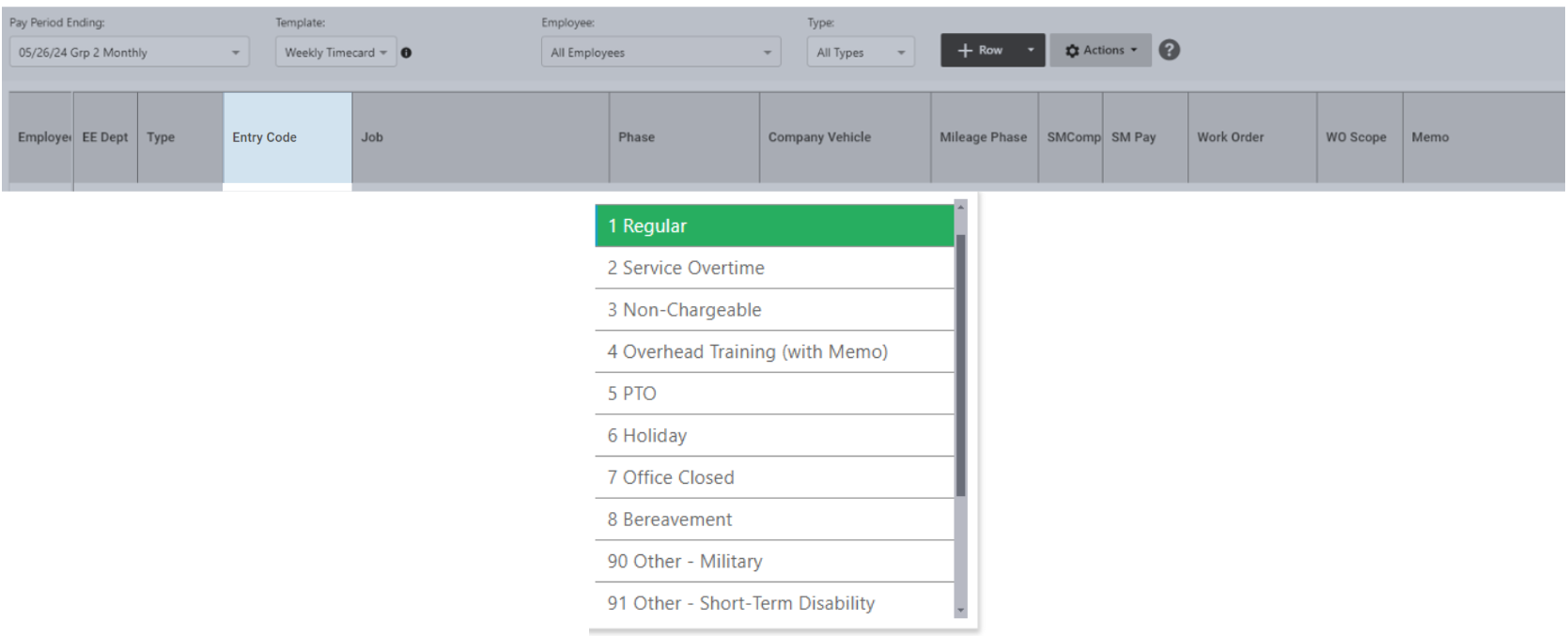
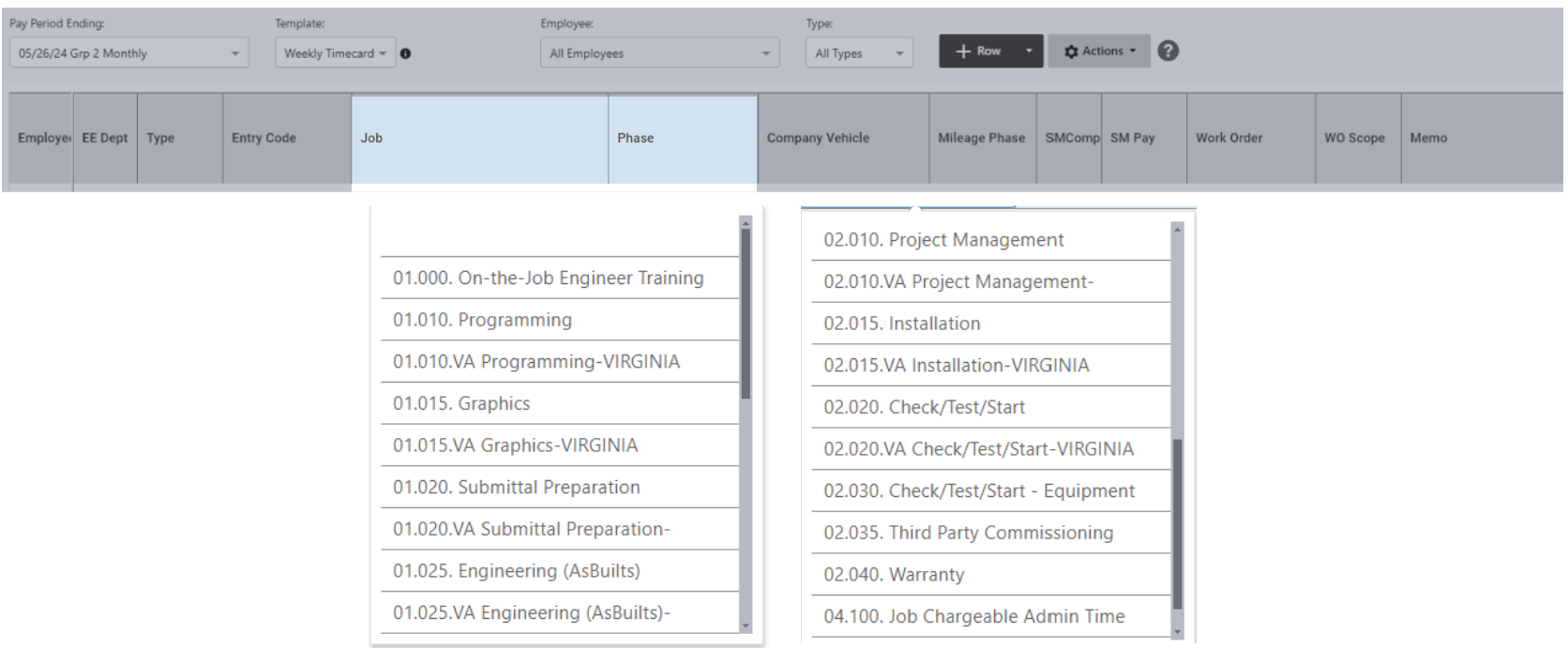
- You must select the appropriate Job Number and the Phase you worked on.
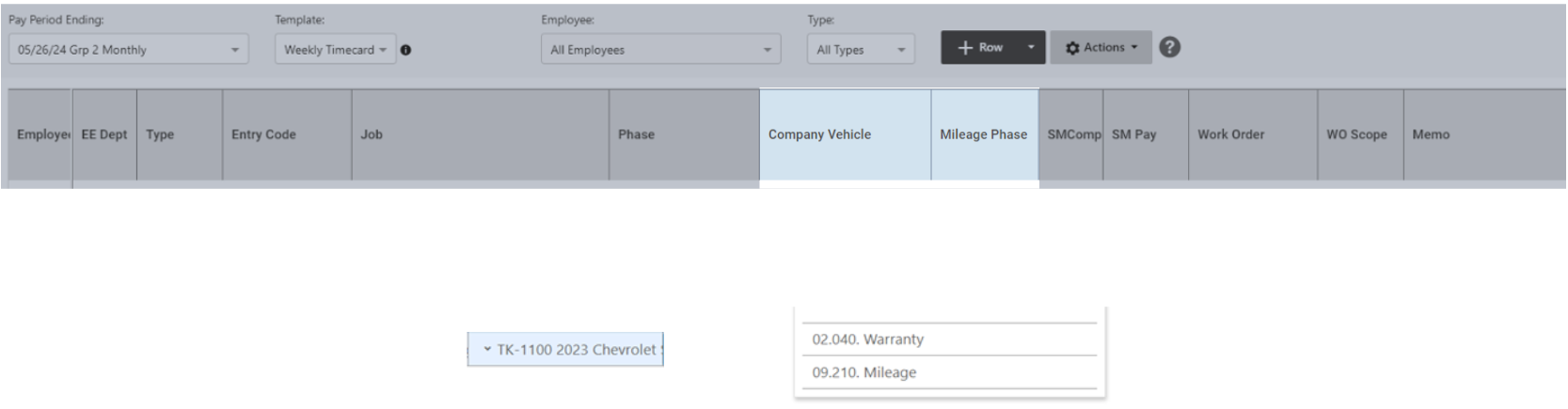
- If you have been assigned a company vehicle, you will need to specify your Company Vehicle and the Mileage Phase.
- Please mention the Memo before entering your hours and miles.
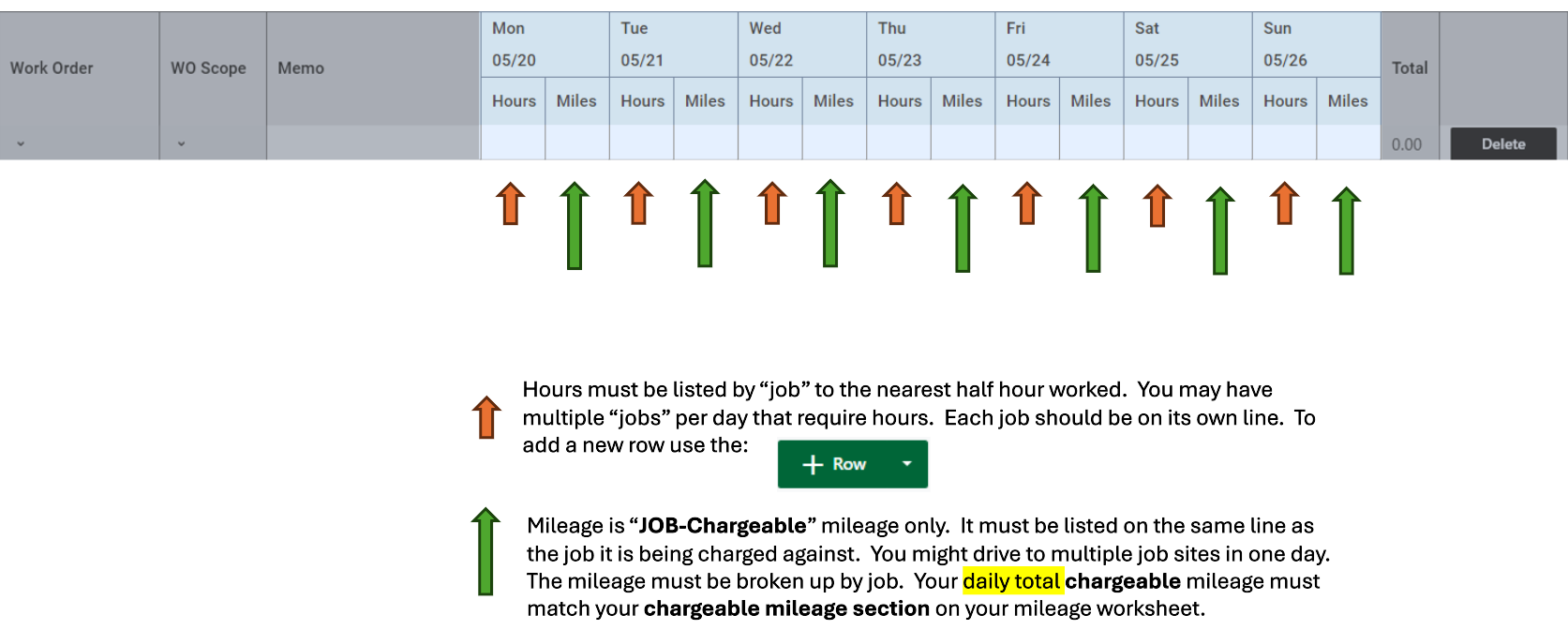
- The next step is to enter the hours and miles.
- The final step is to save it.