Technology Updates
N: Drive Access
Here are the steps to access the N: Drive
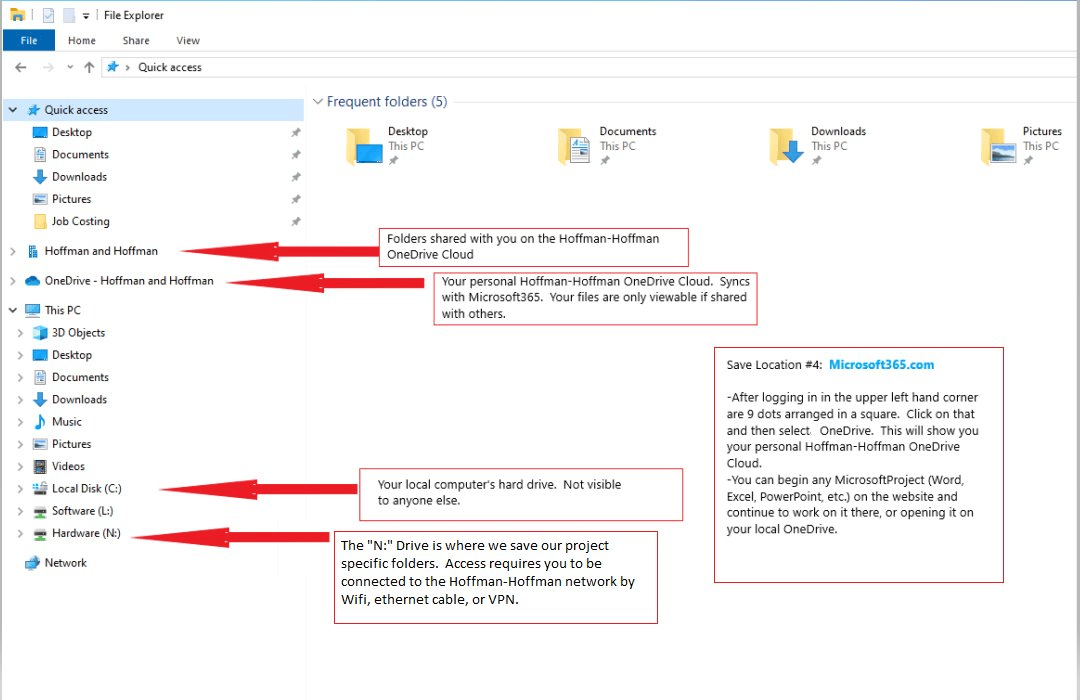
- Connect to Hoffman-Hoffman Network: Ensure your computer is connected to the Hoffman-Hoffman network. This can be done via Wi-Fi, Ethernet cable, or VPN.
- Open File Explorer: Start by opening File Explorer from the taskbar, Start menu, or by pressing the Windows logo key + E.
- Locate N: Drive: In the left pane of File Explorer, look for "Hardware (N:)".
- Access Project Folders: The N: Drive contains project-specific folders. Click on the N: Drive to access these folders and manage their contents.
Communication
We leverage Microsoft 365 as our core communication platform, fostering a collaborative and productive work environment. Here's how we utilize its key components:
Microsoft Teams
- Video and Voice Calls
- Collaboration: Teams integrates with Microsoft 365 applications, facilitating real-time collaboration on documents and projects. This integration supports teamwork across different departments and locations.
OneNote
- Documentation: We use OneNote for comprehensive documentation, allowing teams to organize and share notes effectively. This helps in maintaining a centralized knowledge base and ensures that all team members are informed and aligned.
SharePoint
We utilize this platform as our centralized hub for all company databases, fostering a robust communication ecosystem that enhances collaboration, innovation, and employee engagement throughout the organization. This setup ensures that all stakeholders remain informed and connected, ultimately driving our collective success.
Outlook Signature
To access email signatures, including holiday season editions, follow these steps:
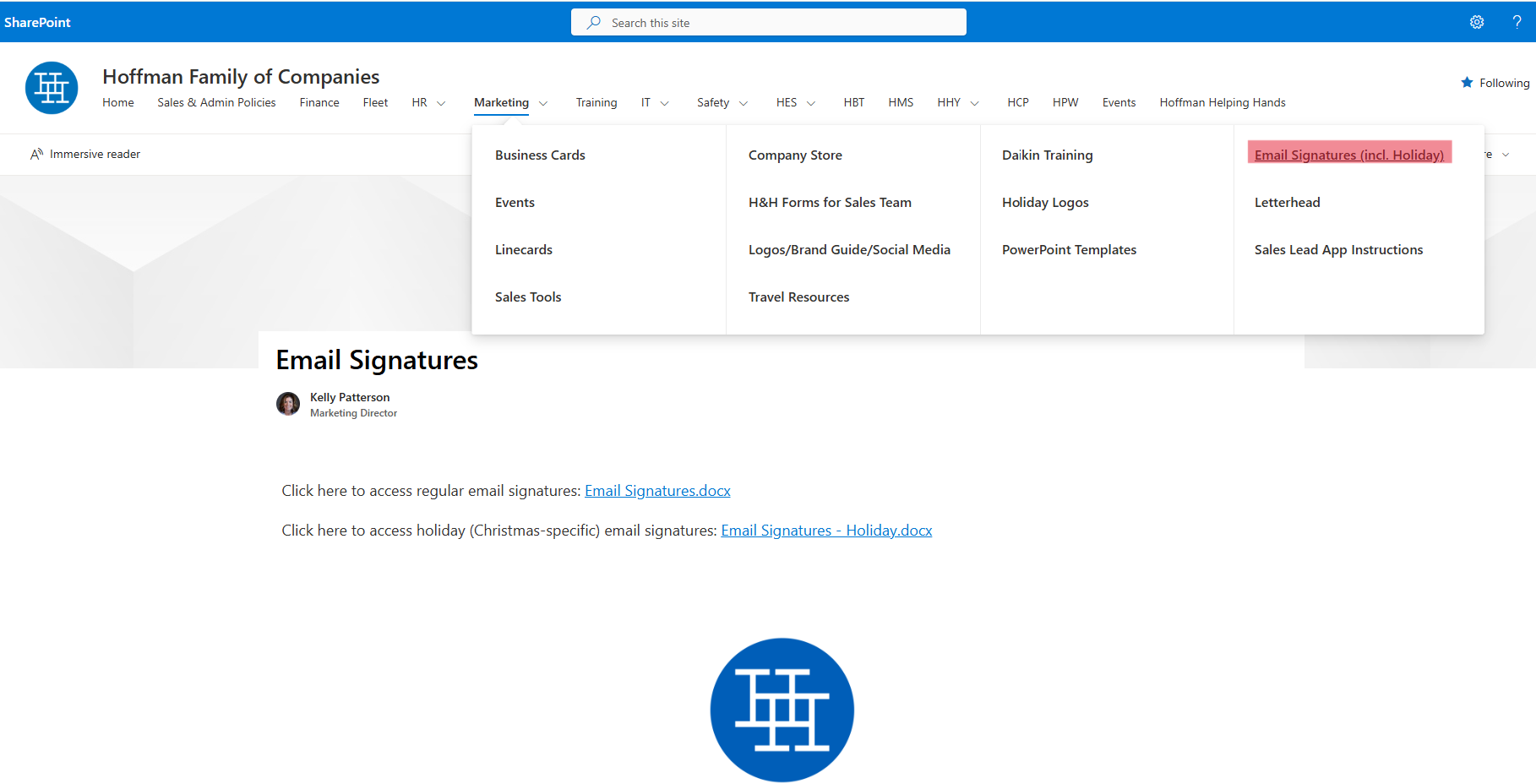
- Visit the Hoffman Family of Companies SharePoint site at https://hoffmanandhoffman.sharepoint.com/sites/HoffmanFamilyofCompanies.
- Navigate to the Marketing section by hovering over it.
- Select Email Signatures to view and access various email signatures, including those designed for the holiday season.
Bluebeam
Bluebeam Revu for PDFs provides advanced tools for managing project submittals and offers both personal and project-specific access.
FortiClient VPN
When the Hoffman & Hoffman network is not available, follow these steps:
- Enter Your Credentials: Use your H&H username and password.
- Confirm Authentication: In the second pop-up window, select "Yes".
- Phone Authentication: You will need your phone for the authentication process.
Revision History
| Revision | Date | Name | Description |
|---|---|---|---|
| 1.0.0 | 4/03/2025 | Sneha Karnik | Initial Implementation |